 Wordpress is the perfect platform for blogging. Consider these features.
EASY TO INSTALL AND USE
You can install Wordpress in a few ways. The hard way by using FTP and the command line. Wordpress call it the five-minute installation procedure. The more common way is to use the software installer which comes with most web hosting services. Just a few clicks here and there and you are ready to go. Of course, if you are using Wordpress' own... [ Continue reading... ]
Wordpress is the perfect platform for blogging. Consider these features.
EASY TO INSTALL AND USE
You can install Wordpress in a few ways. The hard way by using FTP and the command line. Wordpress call it the five-minute installation procedure. The more common way is to use the software installer which comes with most web hosting services. Just a few clicks here and there and you are ready to go. Of course, if you are using Wordpress' own... [ Continue reading... ]
 WordPress is one of the popular content management systems (CMS) in use today. It started off as a platform for bloggers to use, in the main, but today it supports some of the most creative and influential websites online. There are many reasons why web designers and design agencies are now using WordPress to build their clients websites, in this guide it will tell you why by listing the advantages and some disadvantages.
What is... [ Continue reading... ]
WordPress is one of the popular content management systems (CMS) in use today. It started off as a platform for bloggers to use, in the main, but today it supports some of the most creative and influential websites online. There are many reasons why web designers and design agencies are now using WordPress to build their clients websites, in this guide it will tell you why by listing the advantages and some disadvantages.
What is... [ Continue reading... ]
 The design geniuses at ThemeFuse would like to share 3 WordPress themes licenses with their customers and you could win one.
If you have ever run your own website or blog, or if you are thinking about operating a new website or blog- this contest is for you! ThemeFuse is holding a contest that will give away 3 free WordPress themes to 3 lucky winners. The winners will be able to choose any theme they want.
We are handing out 3... [ Continue reading... ]
The design geniuses at ThemeFuse would like to share 3 WordPress themes licenses with their customers and you could win one.
If you have ever run your own website or blog, or if you are thinking about operating a new website or blog- this contest is for you! ThemeFuse is holding a contest that will give away 3 free WordPress themes to 3 lucky winners. The winners will be able to choose any theme they want.
We are handing out 3... [ Continue reading... ]
 Previously I've been posting about step by step to install wordpress manually, now I will show to you how to install wordpress using auto installer tool like Fantastico DeLuxe, Softaculous and QuickInstall.
Here I will only share the steps about how to installing wordpress with Fantastico DeLuxe, Softaculous and QuickInstall, because I just have an experience with it, and from some hosting provider that I use already, generally they are using... [ Continue reading... ]
Previously I've been posting about step by step to install wordpress manually, now I will show to you how to install wordpress using auto installer tool like Fantastico DeLuxe, Softaculous and QuickInstall.
Here I will only share the steps about how to installing wordpress with Fantastico DeLuxe, Softaculous and QuickInstall, because I just have an experience with it, and from some hosting provider that I use already, generally they are using... [ Continue reading... ]
 Generally each hosting provider will provide auto installer tool like Fantastico De Luxe, Softaculous and QuickInstall, so with this tool you can easily to install WordPress. I think you will get a problem, if the hosting provider doesn't provide auto installer tool, so you must install WordPress manually.
If you haven't experience to install WordPress manually, here I will share the steps to install WordPress manually. Before you start to... [ Continue reading... ]
Generally each hosting provider will provide auto installer tool like Fantastico De Luxe, Softaculous and QuickInstall, so with this tool you can easily to install WordPress. I think you will get a problem, if the hosting provider doesn't provide auto installer tool, so you must install WordPress manually.
If you haven't experience to install WordPress manually, here I will share the steps to install WordPress manually. Before you start to... [ Continue reading... ]
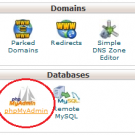 If you are using WordPress platform then the problems comes if you forgot your WordPress admin password.
Don't worry if you forgot the WordPress admin password. There two ways to reset your WordPress admin password that is from lost your password menu and from SQL, but in this article I just share how to reset your WordPress password from SQL.
An easy way to reset WordPress admin password via SQL, please follow the step... [ Continue reading... ]
If you are using WordPress platform then the problems comes if you forgot your WordPress admin password.
Don't worry if you forgot the WordPress admin password. There two ways to reset your WordPress admin password that is from lost your password menu and from SQL, but in this article I just share how to reset your WordPress password from SQL.
An easy way to reset WordPress admin password via SQL, please follow the step... [ Continue reading... ]
