
Ebooks Seven Tips & Tricks For Windows 7
Ebooks seven tips & tricks for Windows 7 contain four ebooks. This ebooks from windows partner solutions. Each ebook contain seven tips and tricks for windows 7.
First Ebooks contain: Tip 1: Shuffling Through Program Windows. Tip 2: Managing Your Windows. Tip 3: Project Your Display With Ease. Tip 4: Multi-Monitor Window Management. Tip 5: Aero Peek Your Desktop. Tip 6: Live Clutter-Free. Tip 7: Help the Help Desk Help You.
Second Ebook contain: Tip 1: Put a “Pin Up” of the Folders You Use Most. Tip 2: Double-Up Your Windows. Tip 3: Clear, Crisp Display—It’s In Your Control. Tip 4: Order and Reason for Your Taskbar. Tip 5: Taskbar Traversing. Tip 6: BitLocker To Go Protection. Tip 7: Your Own Personal Help Desk: Windows Troubleshooting Platform.
Third ebook contain: Tip 1: Change the Scenery. Tip 2: Crunch The Numbers. Tip 3: Smart Printing. Tip 4: Shake It Up. Tip 5: Clean Your Desktop! And Order It Too. Tip 6: Right-Click Mania. Tip 7: Unveil Your Hidden Drives.
Fourth ebook contain: Tip 1:help the desk desk help you. Tip 2: sticky notes avoid sticky situations. Tip 3: adaptive display brightness. Tip 4: notify me, my way. Tip 5: authority over the power switch. Tip 6: ISO files. Tip 7:locale specific.
Download this ebooks click this link:
http://www.mediafire.com/file/mmmmumyximm/Windows7 Tips and Tricks.zip
Related to "Ebooks Seven Tips & Tricks For Windows 7"

E-Books How to Refill Toner Cartridge and Inkjet C
Manual Reset for Epson T11
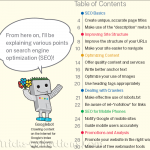
New Version Google eBook SEO Guide for Beginner
Ebook Epson Resetter How to Collection

One Response to “Ebooks Seven Tips & Tricks For Windows 7”
your amazing i got lot of information from your site (ver very very)*100 thanks