
Windows Seven Aero RC for Windows XP
This is high Quality windows Seven Aero RC theme for Windows XP. This theme is created by Gutuu. This themes package include with Viglance software. Viglance software to make taskbar of themes transparent like windows 7 aero.

Download Windows Seven Aero RC themes from here
Update, to aswer Balagurunath’s qiestions. how to install this themes is easy and simple.
- download the extact the downloaded themes.
- Copy “Seven7RC” folder to “C://Windows/resource/themes” folder if you install your windows in drive C.
- Now right click on the desktop, select appearance tab. in the windows and buttons section you will see new themes, apply the themes.
- To activate aero click “ViGlance.exe” in folder “ViGlance” (no installation require).
9 Responses
Related to "Windows Seven Aero RC for Windows XP"

Show all Inactive Icons in the Taskbar of Windows
Change the Size of Desktop Icons on the windows XP
Tips n tricks to Encrypt or Decrypt file or folder
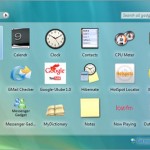
How to Add Windows Vista Sidebar to Windows XP

9 Responses to “Windows Seven Aero RC for Windows XP”
Thanks.Nice post.Please explain me in detail how can i install the theme
@Balagurunath, I have update this post
This is excellent….great work….WELDONE……………………….
Im french, so if I install the theme, Is that it will be French?
Does it make the system run slow?
or does it overwrite the system files?\
dose it have a virus?
t.y.
@Bray, This software not make the system slow I have tested on small specification computer
Can’t Make It work!
Very good-good work bro, btw, thanks for share ^_^
simple Aero Windows classic startmenu in Windows XP.